
DTF on Denim: Settings, Surface Prep, and Expectations
Master DTF on denim with our expert guide on heat settings, surface prep, and achieving professional, vintage-style results on jackets, jeans, and patches.
Mastering DTF on Denim: Settings and Surface Prep
Denim is one of the most requested non-standard DTF substrates. From custom denim jackets and jorts to personalized tote bags and patches on jeans, the versatility of denim makes it a high-value product. However, it is also one of the most technically demanding materials to execute correctly.
The thick, rigid weave structure and elevated moisture content of denim compared to standard apparel knits create unique challenges. Achieving consistent platen contact is the core issue: the woven texture creates an uneven surface, and features like seams or pockets can create pressure voids that hinder adhesive bonding.
The Importance of Proper Surface Preparation
Because denim has a coarser texture than jersey knits, surface preparation is not optional—it is a critical step for success.
1. Managing Surface Texture with Silicone Foam
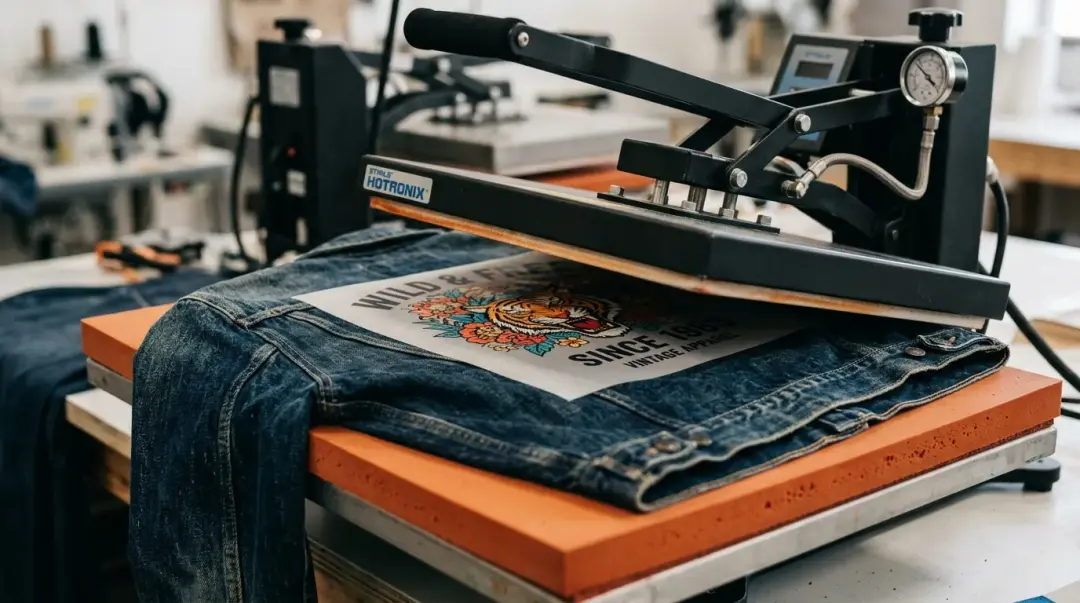
The solution to uneven surface contact is a silicone foam pressing pad placed on the lower platen. This pad conforms to the slight surface variations of the denim weave, distributing pressure more evenly than a rigid platen cover. Without this padding, you risk incomplete adhesive activation in areas where the fabric weave dips.
2. The Essential Pre-Press
Denim holds significantly more moisture than lighter fabrics. Failing to remove this moisture will lead to poor bonding and potential wash-fastness issues. Pre-press your denim garment for a full 8–10 seconds. This ensures the fabric is dry and stabilized before you introduce your transfer.
Recommended Heat Press Settings for Denim
Due to the thickness and heat-sink characteristics of denim, you must adjust your press parameters away from standard t-shirt settings.
| Denim Type | Temperature | Pressure | Time |
|---|---|---|---|
| Standard (14 oz) | 310–320°F | Firm | 15–17 seconds |
| Heavyweight (16 oz+) | 310–320°F | Firm | 18–20 seconds |
Cool Down Strategy
Because denim is thick, it releases heat more slowly. Even when using hot-peel film, wait a full 15 seconds after opening the press before peeling. This pause allows the adhesive to set into the deeper texture of the denim fibers, ensuring a more durable, long-lasting bond.
What to Realistically Expect
It is important to manage client expectations. A DTF print on denim will look different from a print on a smooth cotton t-shirt.
- Texture Telegraphing: The denim weave will slightly telegraph through the adhesive layer, especially on designs with large, solid color blocks.
- Aesthetic Choice: Rather than fighting this texture, embrace it. Halftoned designs or distressed artwork styles look natural on denim, producing a high-end, "worn-in" vintage aesthetic that is often more desirable than a perfectly smooth, plastic-like print.
Key Takeaway: To achieve the best results on denim, prioritize moisture removal through a long pre-press and use a silicone foam mat to equalize pressure across the thick, woven surface. Lean into Blank Apparel collection — denim or specialty fabric section to compliment the fabric's natural texture.
Pro Tips for Success
- Avoid Seams: Try to position your design away from thick pockets or heavy seams. If you must print near a seam, use a print pillow or a smaller heat press insert to raise the printing area above the surrounding seams.
- Wash Testing: Always conduct a wash test on scrap fabric if you are working with heavyweight raw denim, as the dyes and finishes can sometimes affect adhesive interaction.
Frequently Asked Questions
Why is it necessary to pre-press denim before applying a DTF transfer?
How do I handle printing DTF designs near denim seams or pockets?
Why should I use a silicone foam pressing pad when applying DTF to denim?
Do I need different heat press settings for denim than for regular t-shirts?
Why is my DTF print on denim showing the texture of the fabric?
Comments
No comments yet. Be the first to share your thoughts!