
Heat Press Maintenance: What Happens When You Don't
Neglecting heat press maintenance ruins DTF quality. Learn how temperature drift, platen degradation, and pressure loss destroy your prints.
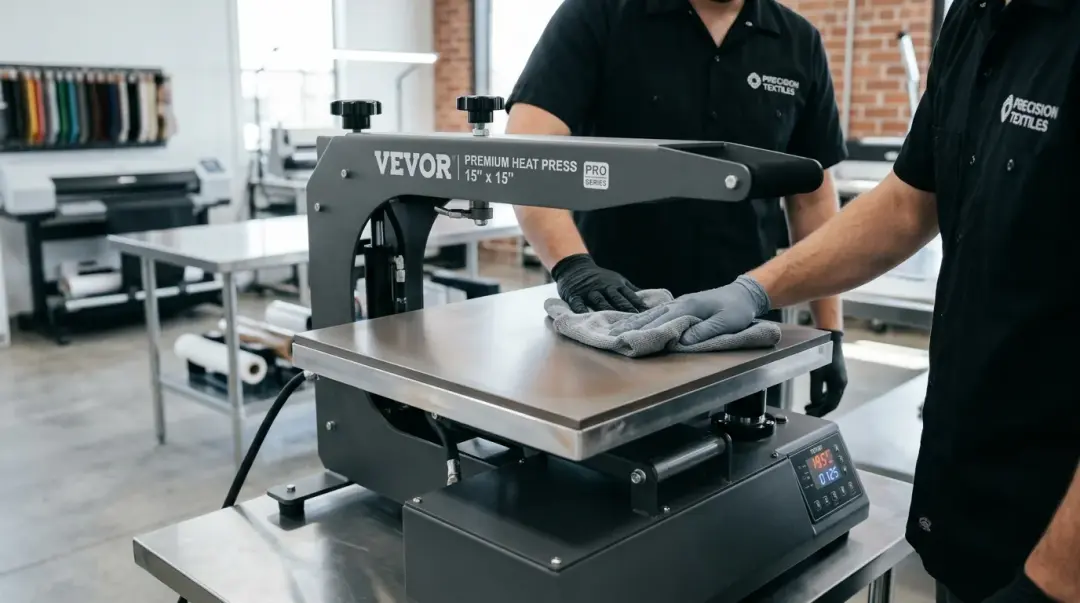
The Hidden Costs of Neglecting Heat Press Maintenance
In the fast-paced world of Direct to Film (DTF) printing, the heat press is often viewed as the most dependable workhorse in the shop. Because these machines can run for years without catastrophic failure, many operators fall into a false sense of security, assuming that if the machine turns on and heats up, it is functioning correctly. This perspective, however, is a dangerous misconception.
While a heat press may not stop working entirely, its performance degrades silently. Over time, internal components wear down, creating a gap between your digital settings and the physical reality of the transfer process. Understanding the three primary failure modes—temperature drift, surface degradation, and mechanical wear—is the difference between consistent professional results and chronic production issues.
1. The Danger of Platen Temperature Drift
Temperature is the foundation of a successful DTF transfer. If your press is set to 310°F but is actually delivering 285°F, your adhesive won't fully melt, leading to premature wash-off. Conversely, if it hits 335°F, you risk scorching garments and ruining the film's carrier sheet.
Why It Happens
Heating elements are susceptible to natural degradation over 12–18 months of regular use. Thermostats and sensors can become desensitized, causing the actual surface temperature to diverge from your dial or digital setting. Without verification, you could be operating in a "blind zone" for months.
How to Fix It
- Verify Quarterly: Use a calibrated infrared thermometer to measure the actual surface temperature at multiple points on the platen.
- Recalibrate: If you detect a variance (often 15–30°F), adjust your settings to compensate, or consult your manufacturer’s manual to recalibrate the internal controller.
2. Platen Surface Degradation and Contamination
The lower platen is the silent victim of daily production. Adhesive residue, microscopic fabric fibers, and ink mist accumulate on the pad, creating an uneven surface that directly impacts print quality.
The Impact on DTF Transfers
When the lower platen surface is contaminated, it loses its ability to provide consistent, flat contact across the design. Even a tiny bump caused by hardened residue can result in adhesion voids—those small, unprinted patches that ruin an otherwise perfect transfer.
Maintenance Protocol
Clean your lower platen at least monthly. While the press is warm (but safe to touch), use a professional heat press cleaning sheet or a lint-free cloth lightly dampened with isopropyl alcohol to remove accumulated gunk. This ensures a clean, uniform contact point every single time.
3. Mechanical Wear and Pressure Loss
Pressure is the final variable in the DTF puzzle. The mechanisms that generate force—especially in swing-away and pneumatic models—rely on springs, seals, and hinges that undergo thousands of compression cycles.
The "Slow Fade" of Pressure
Just as temperature drifts, mechanical pressure can diminish gradually over 18–24 months. Because the change happens incrementally, operators rarely notice the loss of force until they begin experiencing widespread adhesion issues across their production runs.
The Paper Drag Test
To verify your press is applying even pressure, perform the "paper drag test" every 90 days:
- Place four strips of paper (one in each corner and one in the center) between the platens.
- Close the press with your standard pressure setting.
- Attempt to pull each sheet of paper out.
- If one sheet slides out with significantly less resistance than others, your pressure is uneven.
If you identify variation, adjust the mechanical pressure knob or hydraulic/pneumatic seals immediately to restore balanced force across the entire platen area.
Key Takeaway: Proactive maintenance is not an optional luxury—it is a production requirement. Quarterly temperature checks, monthly surface cleaning, and 90-day pressure tests will save you from thousands of dollars in wasted transfers and ruined garments. For more guidance, see our FAQs Page — 'How do I maintain my heat press?' section.
Proper Storage: Protecting Your Investment
When your heat press isn't in use, storage environment matters. Never leave a press in a high-humidity environment, as moisture can lead to corrosion on internal heating elements. Always ensure the platens are fully cooled before covering the machine with a dust cover to prevent trapping residual heat or moisture. Proper storage combined with the maintenance steps outlined above will maximize the longevity of your equipment and guarantee the quality of every transfer.
Frequently Asked Questions
How can I tell if my heat press has 'temperature drift' without expensive equipment?
Why are my DTF transfers showing small, unprinted patches?
What is the 'paper drag test' and why is it important?
Can leaving my heat press in a humid environment damage it?
How often should I perform maintenance on my DTF heat press?
Comments
No comments yet. Be the first to share your thoughts!