
Cold Weather DTF Production: Winter Workflow Adjustments
Don't let cold temperatures ruin your prints. Learn how winter affects DTF ink viscosity, heat press stability, and transfer storage to keep production smooth.
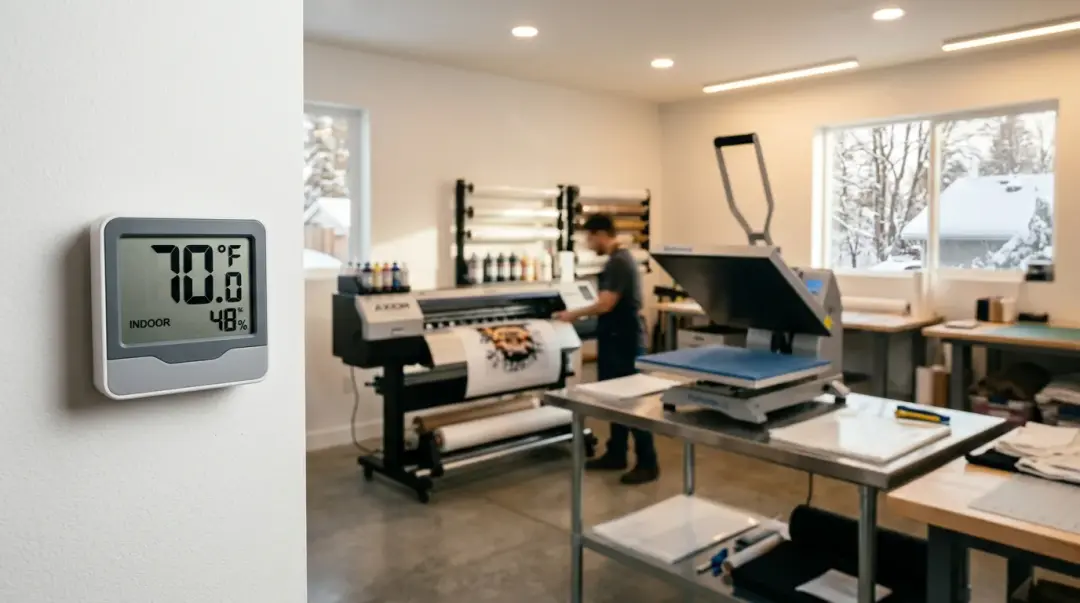
Direct-to-Film (DTF) printing is a precise process that relies heavily on consistent environmental conditions. For many shop owners who set up their equipment during the warm summer months, the arrival of winter often brings unexpected technical challenges. Understanding how cold weather affects every stage of your DTF production workflow—from ink flow to final application—is essential to maintaining quality and profitability year-round. Does weather affect DTF printing?
The Impact of Cold Temperatures on DTF Printing
DTF printers are sensitive to their environment. When ambient temperatures drop below 65°F (18°C), the chemistry of the ink begins to change. The most common issue is an increase in ink viscosity, which refers to the thickness of the fluid. When ink becomes thicker, it struggles to flow freely through the intricate ink lines and microscopic nozzles of the printhead.
White ink is particularly susceptible to these shifts. Because white ink contains heavy titanium dioxide pigments, it is already prone to settling. At temperatures near 60°F, white ink can thicken noticeably, leading to:
- Partial or complete nozzle clogs.
- Inconsistent ink deposition on the film.
- Banding or light spots in your prints.
Cold Weather Intervention Strategies
To combat these issues, the simplest and most effective solution is to manage the climate of your printer's immediate environment. Aim to maintain an ambient temperature of at least 68°F. Using a space heater placed near the printer—never blowing directly onto the unit—can keep the immediate air warm without drying out the machine or causing uneven heating.
Key Takeaway: Increase the frequency of your white ink agitation cycles during winter months and allow for longer warm-up times before starting your first print job of the day.
Winter Challenges in the Pressing Stage
The heat press is another critical variable. In winter, garments stored in unheated areas, such as warehouses, garages, or basements, naturally absorb more moisture from ambient humidity. If you try to press a cold, damp garment, you risk poor ink adhesion, as the moisture trapped in the fabric interferes with the transfer process.
Adjusting Your Pressing Workflow
To ensure consistent, high-quality results during the winter, you must adapt your pressing routine:
- Extended Pre-Pressing: Increase your pre-press cycle to 6–8 seconds (compared to the standard 3–5 seconds). This extra time is necessary to fully drive out moisture from cold, damp blanks.
- Verify Platen Temperature: Do not rely solely on the dial on your heat press. During winter, cold ambient air draws heat from the platen surface faster. Always verify the actual surface temperature using an infrared thermometer after your initial 10-minute warm-up period. Often, the actual temperature can be 15–25°F below the dial setting until the machine fully equilibrates.
Storage and Handling of Finished Transfers
Winter production issues can even extend to finished inventory. If you store your finished DTF transfers in uninsulated areas, they are at high risk of moisture absorption. When you bring these cold transfers into a warm shop, the temperature differential will cause immediate condensation on the film surface.
Proper Storage Best Practices:
- Acclimatization: Always bring your stored transfers to room temperature inside their sealed bags before opening.
- Equilibration Time: Allow for 30–60 minutes of wait time before opening the bags to ensure the film has fully adjusted to the shop's temperature and humidity levels.
| Workflow Stage | Winter Challenge | Actionable Solution |
|---|---|---|
| Printing | Increased ink viscosity/clogs | Maintain 68°F+ ambient temp; increase agitation. |
| Pre-Pressing | Damp, cold garments | Extend pre-press to 6–8 seconds. |
| Heat Press | Inaccurate platen temp | Verify surface temp with IR thermometer. |
| Storage | Condensation on films | Acclimatize transfers for 30–60 mins. |
By proactively adjusting your workflow to account for these seasonal shifts, you can avoid the costly downtime and quality control issues that catch many operators off guard. Consistent environmental control is not just a luxury—it is a fundamental requirement for reliable DTF production.
Frequently Asked Questions
Why do I see banding or light spots in my DTF prints during the winter?
What is the recommended ambient temperature for a DTF production environment in winter?
Why is it necessary to extend the pre-press time for garments during colder months?
Should I rely on my heat press display to set the temperature in winter?
How should I handle stored DTF transfers when bringing them into a warm shop?
Comments
No comments yet. Be the first to share your thoughts!