
DTF Film Feed Problems: Jams, Skewing, and Static Fixes
Stop wasting film and production time. Learn the root causes and practical fixes for common DTF film feed problems including static, skewing, and jams.
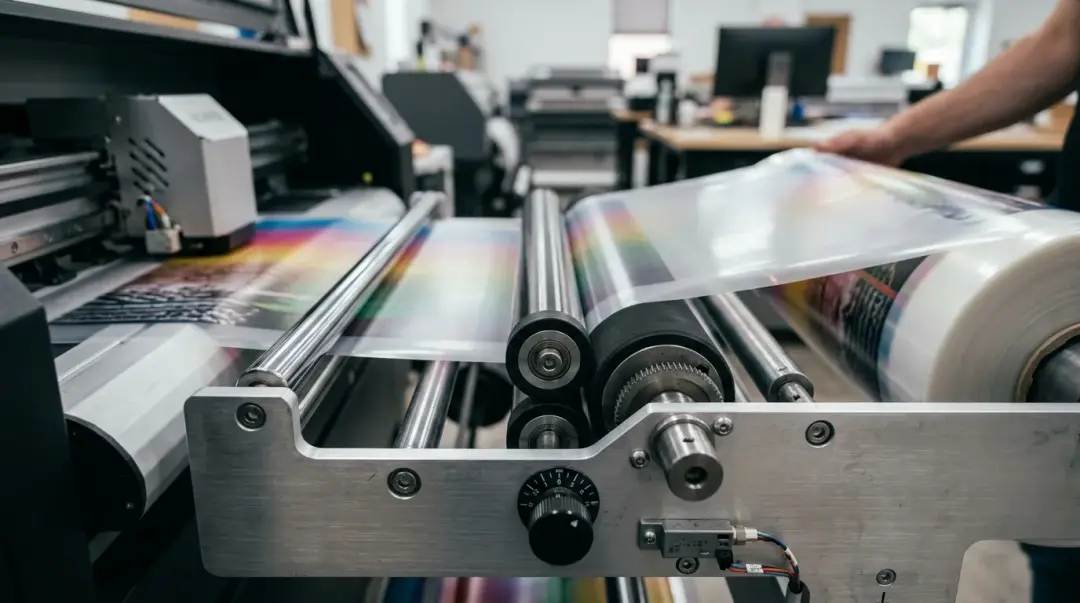
Film feed issues—jams, skewed prints, and static-induced adhesion—are among the most frustrating interruptions in the Direct-to-Film (DTF) printing workflow. These problems frequently lead to wasted media, costly reprints, and significant downtime. Because these issues often arise from a combination of environmental factors and mechanical alignment, pinpointing a single culprit can be challenging. By understanding the root causes, you can implement targeted solutions to maintain a seamless production line.
Understanding the Role of Static in DTF Feeding
Static electricity is the most common, yet overlooked, film feed issue in DTF printing. It is primarily an environmentally driven problem. In low-humidity environments—typically below 35% relative humidity (RH)—PET transfer film builds a significant static charge as it unrolls and moves through the printer's feed path.
The Consequences of Static Buildup
- Contamination: Static charge acts as a magnet for dust and debris, which clings to the print surface, causing white spots or ink voids.
- Feeding Resistance: The film may cling to guide surfaces or other parts of the printer, leading to drag, irregular motor load, and eventual skewing.
- Uneven Tension: The film may stick to itself on the feed roll, creating inconsistent tension that results in registration errors and missed alignment during the printing process.
How to Eliminate Static Issues
The most effective fix for static is environmental control. Maintaining an ambient humidity level between 45–55% RH eliminates the majority of static-related feed issues without requiring hardware modifications.
For shops where humidity control is impractical, installing anti-static brushes at the film entry point is a highly effective, low-cost solution. Typically costing between $15 and $40, these brushes neutralize the charge on the PET film before it enters the print zone, addressing the root cause at the source.
Correcting Film Skewing
Film skewing, where the printed image appears at a diagonal across the film rather than square to the edge, compromises the quality of your transfers. This issue is almost always mechanical.
Root Causes of Skewing
- Uneven Roll Tension: If the film roll is poorly wound or partially unwound, tension becomes inconsistent. This causes the film to pull unevenly on one side, resulting in a skewed feed.
- Misaligned Feed Guides: If the physical guides are not set to the exact width of your media, the film will drift laterally during the print cycle.
Step-by-Step Alignment Check
Before beginning a production run, perform a blank feed test:
- Load the film roll so that the core is seated evenly on both spindle flanges.
- Ensure the roll unwinds smoothly without physical resistance.
- Run a length of film through the printer without printing.
- Observe the film as it exits; if it does not track perfectly parallel to the entry path, perform a mechanical adjustment to your feed guides.
Resolving Common Film Jams
DTF film jams often occur at the transition from the print zone to the output tray. This usually happens when the leading edge of the film curls upward rather than laying flat, causing it to catch on printer components or the output tray surface.
Preventing Jam Scenarios
Key Takeaway: Most exit jams are caused by physical film curl. Adjusting the angle of your output tray and ensuring the film's natural curl feeds downward at the exit point effectively prevents the majority of these interruptions.
If you experience frequent jams, inspect the transition area for any obstructions, ensure your rollers are clean, and verify that your output tray isn't forcing the film into an unnatural angle.
Summary of DTF Feed Troubleshooting
| Problem | Primary Cause | Recommended Solution |
|---|---|---|
| Static/Adhesion | Low Humidity (<35% RH) | Raise humidity to 45–55% or install anti-static brushes. |
| Skewing | Tension or Guide Issues | Re-seat roll; calibrate feed guides via blank test. |
| Exit Jams | Film Curl | Adjust output tray angle; orient curl downward. |
FAQs Page — 'Why does my film jam or skew?' troubleshooting section
Frequently Asked Questions
Why does my DTF film seem to attract dust and cause white spots on my prints?
My printed designs are coming out diagonal instead of straight; how can I fix this?
What is the best way to prevent DTF film from jamming at the exit of the printer?
Does environmental humidity actually affect DTF film feeding?
What is a 'blank feed test' and why should I perform one?
Comments
No comments yet. Be the first to share your thoughts!