
Printing Oversized DTF Transfers: A Guide to Large Prints
Master printing oversized DTF transfers for full-back designs and jerseys. Learn file prep, heat press techniques, and how to reduce heavy hand feel.
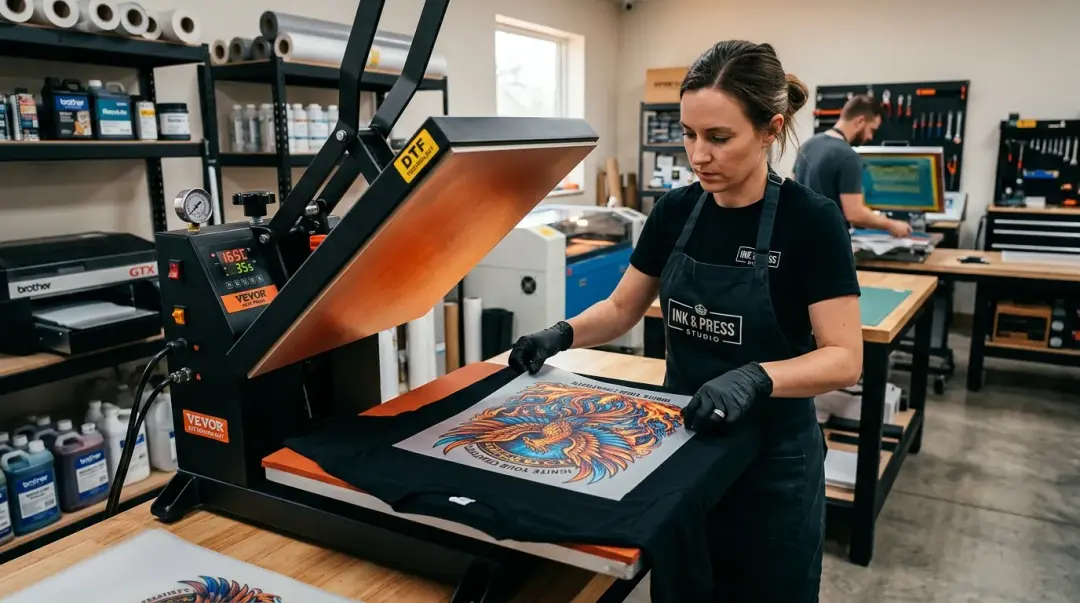
Direct-to-Film (DTF) technology has revolutionized custom apparel, but scaling up to oversized DTF transfers—such as full-back graphics or large-format jersey designs—requires a shift in technique. When moving beyond standard 10-inch logos to prints exceeding 12 inches, precision in file preparation and heat press application becomes critical to avoid common pitfalls like pixelation, edge lifting, and excessive hand feel.
File Preparation for Large-Format DTF
The foundation of a successful large-format print begins long before the ink hits the film. A common mistake is attempting to scale up low-resolution imagery to fill a 14x18" canvas.
- Work at Full Scale: Always design at the final intended output size. A 14x18" full-back print must be built at 300 DPI at these exact dimensions.
- Mind the File Size: High-resolution, large-format files can exceed 100MB uncompressed. Ensure your workstation can handle these memory-intensive files without crashing.
- Prioritize Vectors: Use vector-based design software (like Adobe Illustrator or CorelDRAW) for as long as possible. Export to a high-resolution transparent PNG only at the final stage to maintain crisp edges and avoid the softness that comes with upsampling raster images.
Mastering the Press: Alignment and Pressure
Pressing an oversized transfer on a standard 16x20" platen leaves little room for error. When the margin between the transfer edge and the platen edge is minimal, structural integrity during the heat-transfer process is paramount.
Alignment Accuracy
Before closing your press, ensure the design is perfectly centered. For full-back prints, use a center-finding ruler or dedicated alignment tools to position the transfer correctly. A misaligned large transfer is often impossible to fix once the heat-activated adhesive begins to bond.
Uniform Pressure Distribution
Uneven pressure leads to edge-adhesion failure, which is magnified on larger prints. Before committing to a garment, test your press with a piece of paper or scrap fabric. If your press exhibits rocking or soft edges, recalibrate it. For large designs, the entire platen must apply uniform, consistent pressure to ensure every square inch of the transfer bonds correctly.
| Challenge | Solution |
|---|---|
| Alignment Error | Use center-finding rulers or laser alignment tools. |
| Edge-Adhesion Failure | Calibrate press for perfectly uniform pressure across the entire platen. |
| Pixelation | Design at full scale (300 DPI) using vector-based tools. |
Managing Hand Feel on Large Designs
One of the primary drawbacks of large, solid DTF prints is the heavy, "plasticky" hand feel. High ink coverage on a 14x18" area significantly impacts the garment’s breathability and comfort.
Key Takeaway: You can reduce the hand feel of large-format DTF transfers by 30–40% without compromising visual vibrancy by optimizing ink coverage and underbase opacity.
Advanced Optimization Techniques
- Halftoning: Apply halftoning to large solid areas to break up the ink coverage, allowing the fabric to breathe through the design.
- Color Knockout: Use knockout techniques to remove unnecessary ink in areas where color vibrancy is not essential.
- Reduce Ink Coverage: Target 60–70% ink coverage for large solid blocks.
- Lower White Underbase: On lighter-colored garments, reduce the white underbase opacity to 70–80%. This significantly decreases the weight of the transfer while maintaining sufficient color pop.
By implementing these adjustments, you can successfully produce high-quality, professional-grade oversized DTF transfers that maintain a premium feel while delivering striking, large-format visuals.
Frequently Asked Questions
What is the best way to avoid pixelation when printing oversized DTF designs?
How can I prevent edge-adhesion failure when pressing large DTF transfers?
How can I reduce the heavy, plasticky hand feel of large-format DTF prints?
What is the recommended ink coverage percentage for large solid blocks in DTF printing?
Are there specific tools to help with the alignment of large DTF transfers?
Comments
No comments yet. Be the first to share your thoughts!