
When to Upgrade Your DTF Printer: Volume & Quality Guide
Stop losing revenue to equipment bottlenecks. Use our DTF printer upgrade checklist to determine if it's time to scale your production and boost profits.
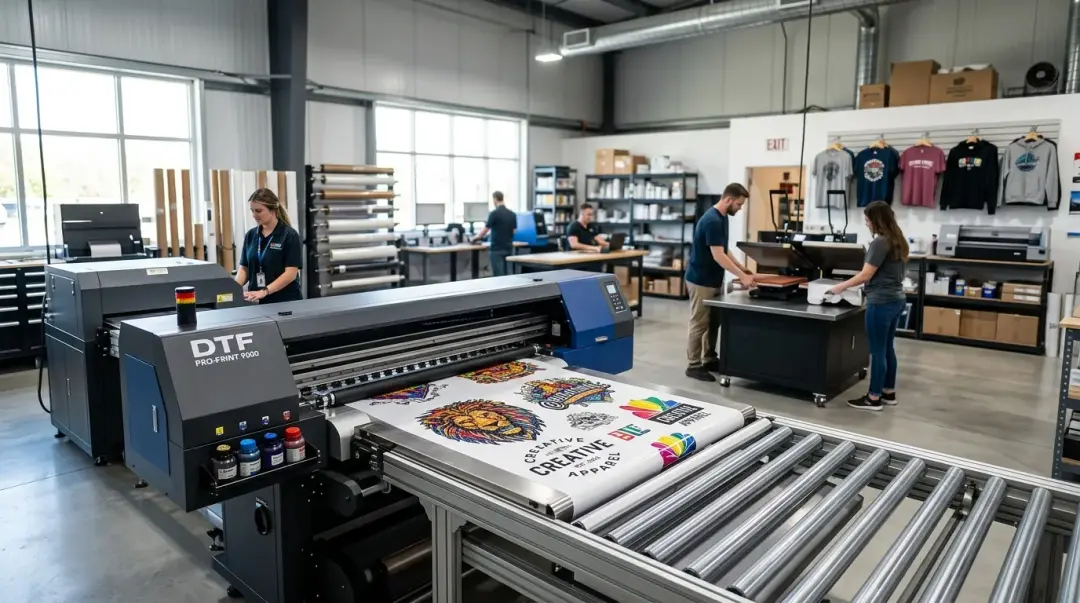
Is Your DTF Printer Holding Your Business Back?
For many DTF shop owners, the journey begins with an entry-level printer. While these machines are excellent for learning the process, they eventually hit a performance ceiling. Many owners hold onto their initial hardware far too long, unknowingly absorbing hidden costs—escalating maintenance, quality inconsistencies, and throughput constraints—that actively limit growth and drain revenue.
Knowing when to upgrade your DTF printer is a critical business decision. It is not just about wanting a faster machine; it is about recognizing when the operational costs of your current setup outweigh the investment of a new, more efficient system.
The 4-Point Upgrade Readiness Checklist
If you are struggling to decide if an upgrade is justified, use this checklist. You should seriously evaluate a new machine if three or more of the following conditions are true simultaneously:
- Excessive Cleaning Cycles: You are running daily or multiple cleaning cycles just to maintain acceptable nozzle health. This is a classic indicator of printhead wear that will only worsen over time, regardless of how much cleaning solution you use.
- Throughput Bottlenecks: Your current printer cannot keep pace with your order volume without forcing your team to run shifts longer than 8–10 hours.
- The Quality Ceiling: Your print output is noticeably below what competitors are producing on newer hardware, even after performing perfect calibration and using fresh, high-quality ink.
- Lack of White Ink Circulation: Your printer lacks an automated white ink circulation system, forcing you to spend more than 15 minutes of manual agitation daily to maintain ink stability.
Key Takeaway: While any one of these conditions is manageable with patience, experiencing two or more together indicates that your current hardware is actively hindering your business scaling.
Quantifying the Cost of Stagnation
To make a data-driven decision, you must calculate your current printer's true all-in operating cost per month. Many shop owners only look at ink cost; you must go deeper.
The Upgrade Decision Framework
| Cost Factor | Impact on Business |
|---|---|
| Ink & Cleaning Solution | Higher consumption due to frequent maintenance cycles. |
| Film Waste | Losses from failed prints due to banding or nozzle dropouts. |
| Maintenance Parts | Frequent replacement of dampers, wipers, and caps. |
| Labor Time | Hours spent troubleshooting rather than producing revenue. |
Compare this total monthly cost against the finance or lease payments of a mid-range production printer. A professional $15,000–$25,000 system often carries a monthly payment between $400 and $800 on a 36-month term. When you factor in the lower cost-per-print of newer, faster machines, the upgrade often becomes cash-flow neutral or even positive within the first 6–9 months for shops running 60–80+ gang sheets per week.
Optimization Before Escalation
If your current production volume is below 60 gang sheets per week, an upgrade may be premature. Before committing to new hardware, focus on:
- RIP Software Calibration: Ensure your ICC profiles and print settings are optimized for your current ink set.
- Ink Quality: Ensure you are using premium, fresh DTF ink to minimize clogging.
- Maintenance Discipline: Implement a strict daily, weekly, and monthly maintenance schedule to extend the life of your printheads.
Final Verdict
Upgrading your DTF printer is a strategic move, not a luxury. By monitoring your printhead health, throughput, and operational overhead, you can ensure that your equipment remains a business asset rather than a liability. If your current printer is keeping you from meeting customer demand, it is likely time to start shopping for a high-production model.
Frequently Asked Questions
What are the key signs that my DTF printer needs an upgrade?
How do I calculate if upgrading my DTF printer is financially sound?
What should I optimize before deciding to buy a new DTF printer?
Why is automated white ink circulation important in a DTF printer?
How do excessive cleaning cycles affect my DTF printer's long-term health?
Comments
No comments yet. Be the first to share your thoughts!