
Can a Sublimation Printer Be Used for DTF Transfers?
Discover if a sublimation printer can be used for DTF transfers. Learn why ink chemistry matters and the realities of converting your printer.
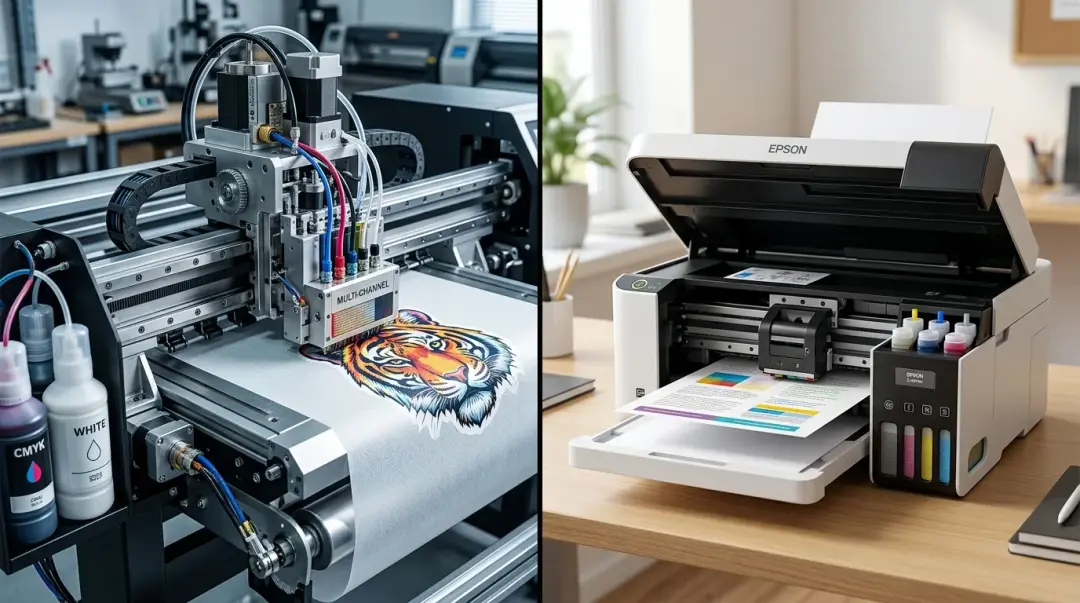
In the world of custom garment decoration, Direct to Film (DTF) and sublimation are two of the most popular technologies. Because many hobbyists start with desktop sublimation printers—like common Epson EcoTank models—it is a frequent question: Can a sublimation printer be used for DTF transfers?
The short answer is: Not as it is currently configured. A sublimation printer cannot produce true, professional-grade DTF transfers using its native setup. However, the nuance lies in the difference between using the machine as a sublimation device versus physically converting it into a DTF printer.
The Fundamental Conflict: Ink Chemistry
To understand why a sublimation printer fails at DTF, you must look at the ink chemistry. These two processes serve entirely different purposes.
- Sublimation Ink: This is a dye-based ink. When heated, it turns into a gas and bonds directly with the polyester fibers of the fabric. It requires a high percentage of polyester (typically 60%+).
- DTF Pigment Ink: This is a pigment-based ink designed to sit on top of the fabric. It does not penetrate the fibers in the same way. It requires a specific adhesive (TPU powder) to bond the ink to the garment, regardless of the material type.
If you run a standard sublimation printer with sublimation ink onto DTF film, the ink will not bond properly to the film or the adhesive powder. The result is typically faded colors, poor wash fastness, and a transfer that feels unreliable or peels almost immediately.
Converting Your Printer: A Realistic View
While you cannot use sublimation ink for DTF, it is physically possible to convert certain inkjet bodies (often those originally sold for sublimation) into dedicated DTF printers. This process is not a simple settings tweak; it is a mechanical overhaul.
What the Conversion Process Requires:
- Thorough Cleaning: Every trace of sublimation ink must be removed from the lines, dampers, and printhead to prevent cross-contamination, which can destroy the printhead.
- DTF Pigment Inks: You must flush the system and refill it with specialized DTF pigment inks.
- White Ink Management: This is the biggest hurdle. DTF requires a white ink underbase to print on dark garments. Standard sublimation printers have no white ink channel or agitation system.
- RIP Software: You need Raster Image Processor (RIP) software to manage the white underbase and color profiling.
| Feature | Standard Sublimation Setup | Converted DTF Setup |
|---|---|---|
| Ink Type | Dye-based | Pigment-based |
| White Ink | None | Essential (requires agitation) |
| Material Limit | Mostly Polyester | Most fabrics (Cotton, Poly, Blends) |
Is Conversion Worth It?
Converting a printer is a compromise-heavy path. Without an automated white ink circulation or agitation system, the white ink settles quickly, leading to clogs and print failures. This makes the setup better suited for occasional hobbyist use or low-volume testing than for professional, consistent production.
Key Takeaway: If you need consistent color on dark garments or high-volume production, conversion is rarely the answer. Investing in a dedicated DTF printer—or outsourcing to a professional transfer shop—is far more reliable and cost-effective in the long run.
Why Professional Solutions Prevail
Professional DTF printers are engineered with closed-loop ink systems, consistent agitation, and precise moisture controls for the adhesive powder. Trying to replicate this with a converted desktop printer often leads to "banding," inconsistent white coverage, and shortened printer lifespan due to the viscosity differences in pigment versus dye inks.
If you are serious about entering the DTF market, evaluate your volume and quality needs. Use your sublimation printer for what it does best, and save yourself the maintenance headaches by selecting a tool built specifically for the DTF process.
Frequently Asked Questions
Can I use my current sublimation printer to print DTF transfers?
Why can't I just put DTF ink in my sublimation printer?
Why is a white ink underbase so important for DTF printing?
What are the risks of converting a desktop printer into a DTF printer?
Is converting a sublimation printer worth it for a small business?
Comments
No comments yet. Be the first to share your thoughts!