
Vibrant Colors & Fine Details in DTF: The Secrets
Unlock vibrant colors and fine details in DTF transfers by mastering white ink underbases, RIP software settings, and ICC color profiles.
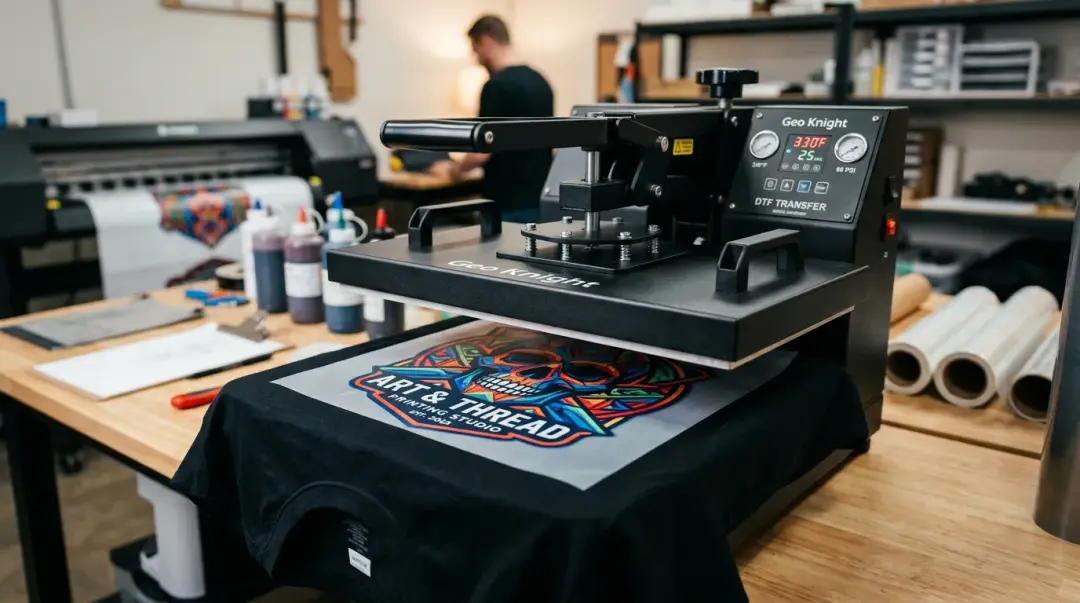
The Science Behind Vibrant DTF Transfers
Achieving professional-grade results in Direct to Film (DTF) printing is more than just hitting print; it is a delicate balance of ink management, digital file preparation, and hardware calibration. When you see a vibrant colors and fine details in DTF transfers on a dark garment, you are looking at the result of a precise technical workflow designed to overcome the limitations of substrate and ink chemistry.
The secret lies in the interplay between the white ink underbase, high-resolution processing, and robust color management systems. Below, we break down how these elements work together to produce consistent, vivid, and detailed prints.
The Role of the White Ink Underbase
Vibrant color on any garment color, especially dark ones, comes primarily from the white ink underbase. In standard printing, ink is transparent. If you print a yellow ink directly onto a black t-shirt, the shirt's color will absorb the light, making the yellow appear muddy or invisible. DTF solves this by laying down a dense layer of white ink beneath the CMYK colors.
This white layer acts as an opaque barrier, blocking the fabric color from showing through and providing a neutral, high-reflectance surface. This allows your reds, yellows, and blues to reach their full saturation. Without a dense, properly cured white underbase, your colors will look washed out or dull. Consequently, managing white ink density within your RIP (Raster Image Processor) software is one of the most critical drivers of print vibrancy.
Key Factors for White Ink Density
- RIP Software Management: Adjusting the white ink percentage ensures you have enough opacity without oversaturating, which could lead to cracking or poor curing.
- Curing Consistency: Proper curing ensures the white underbase bonds correctly with the adhesive powder and the ink layer, maintaining color integrity after multiple washes.
Achieving Fine Detail and Accuracy
Fine detail and accurate color depend on a synergy between digital file resolution and hardware capabilities. A high-quality print begins at the design stage. Designs should always be supplied as a transparent PNG, ideally at 300 DPI at the final intended print size. This resolution provides the necessary data density for the printer to reproduce thin lines, small text, and smooth gradients.
Hardware and Software Precision
On the hardware side, professional DTF systems are capable of printing at high resolutions, typically in the 720 to 1440+ DPI range. This level of precision allows for the rendering of complex designs that would be impossible with other methods. To bridge the gap between your monitor and the shirt, you must use a calibrated ICC profile. This profile acts as a translator, converting the RGB values from your screen into the specific CMYK and white ink values your printer requires, preventing unwanted color shifts.
Comparison: Factors for Quality DTF Prints
| Feature | Impact on Print Quality |
|---|---|
| White Underbase | Ensures vibrancy on dark fabrics by blocking garment color. |
| File Resolution | 300 DPI is required for sharp, crisp details and small text. |
| ICC Profile | Maintains color accuracy between digital design and physical print. |
Extended Gamut Systems
While the standard CMYK+White formula is the industry workhorse, some advanced DTF systems incorporate extended-gamut ink sets. By adding channels such as orange, red, green, or blue, these systems can reach neon hues and specific Pantone colors that are notoriously difficult to reproduce with standard process colors. However, these gains vary by manufacturer, and shops should evaluate samples before investing in these complex setups.
Key Takeaway: For the vast majority of production shops, the formula for success remains consistent: use clean high-resolution files, apply a calibrated ICC profile, and maintain a correctly dialed white underbase. Mastering these three pillars will yield vibrant, detailed, and wash-durable prints every time.
Frequently Asked Questions
Why does my DTF print look dull or washed out on dark t-shirts?
What resolution should I use for my DTF design files?
Why is an ICC profile necessary for DTF printing?
How does RIP software impact the vibrancy of my DTF transfers?
Are extended-gamut ink sets worth it for DTF?
Comments
No comments yet. Be the first to share your thoughts!