
Diagnosing Multi-Factor DTF Print Failures
Stop guessing. Learn how to diagnose multi-factor DTF failures by isolating environmental and ink quality variables for faster, more effective troubleshooting.
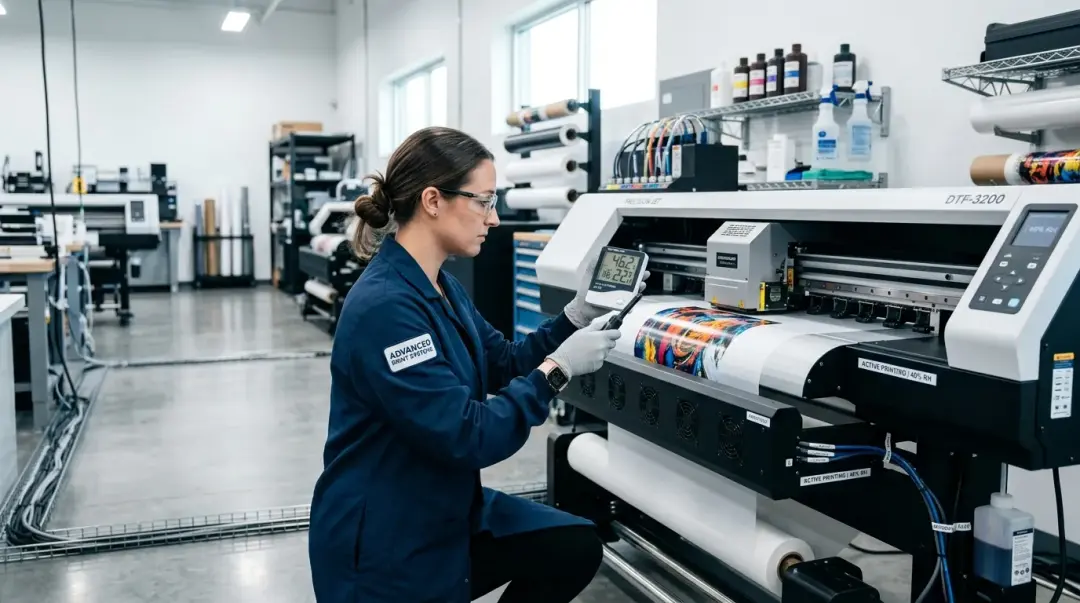
In the world of Direct to Film (DTF) printing, the most maddening production issues aren't caused by a single, obvious failure. They are the problems that persist despite your best efforts: cleaning the nozzles doesn't stop the banding; adjusting your heat press temperature doesn't fix the adhesion; swapping your film brand doesn't restore color accuracy. These are multi-factor print failures, and they occur when two or more marginal conditions—often environmental factors compounded by ink or material degradation—collide to create a visible defect.
Rather than falling into the trap of “shotgun troubleshooting” (randomly changing settings and wasting costly materials), professional DTF operators rely on a systematic diagnostic approach. When environment and ink quality combine, the defect is rarely where it appears to be. Understanding these interactions is the key to minimizing downtime. Blog — troubleshooting or advanced quality control category
The Compound Effect: Humidity and White Ink
The Compound Effect: Humidity and White Ink
One of the most frequent (and often misdiagnosed) production bottlenecks involves high ambient humidity interacting with degraded white ink. Many operators assume that poor color vibrancy or edge failure is a heat-pressing issue. In reality, the problem often starts upstream at the printer or powdering station.
- Environmental Factor: Humidity levels above 60% cause the thermoplastic polyurethane (TPU) adhesive powder to absorb moisture from the air. This leads to clumping, resulting in an uneven, coarse distribution of adhesive on the film.
- Ink Quality Factor: If white ink has settled or is beginning to degrade due to poor maintenance or circulation, the underbase becomes inconsistent.
When these two factors occur simultaneously, the result is a print that appears to have “pressing issues”—patchy vibrancy and poor adhesion—when the issue is actually moisture-affected powder and an unstable underbase. The heat press is simply failing to bond an already compromised material.
The Systematic Diagnostic Protocol
To identify the root cause of these compounding failures, follow this structured, four-stage protocol. By isolating variables, you can pinpoint the error in 20–30 minutes, preventing hours of costly trial and error.
1. The Environmental Check
Before touching your printer settings, verify your production environment. If your facility is outside the optimal operating range, no amount of calibration will produce consistent results. Use a reliable hygrometer and thermometer at the printer, the powdering station, and the heat press.
| Variable | Optimal Range |
|---|---|
| Temperature | 68°F – 78°F (20°C – 25°C) |
| Humidity (RH) | 40% – 60% |
Pro Tip: If humidity exceeds 60%, invest in a dehumidifier or a dedicated climate-controlled room for your printing and curing area.
2. Isolate the Ink System
Once the environment is validated, focus on the printer’s output. Perform a full nozzle check. If the test pattern shows gaps, run a white ink purge cycle. Finally, print a standard color accuracy test strip on fresh, stored-correctly film. This test strip is your “source of truth.”
If the test strip displays banding or color errors, the problem is local to the printer hardware or ink system. If the test strip is perfect, move to the next stage of the diagnostic process.
3. Hardware and Downstream Process
If the printer output is verified as correct, the failure is occurring during the powdering, curing, or pressing stage. Inspect the following:
- Powder Distribution: Ensure the shaker or manual application is consistent and the powder is free from clumps.
- Curing Oven: Verify that the curing temperature and dwell time are consistent with your film/powder manufacturer’s specifications.
- Heat Press: Use a contact thermometer to confirm the actual platen temperature matches the digital display.
Key Takeaway: By testing the printer's output in isolation first, you effectively cut your troubleshooting space in half. You are either dealing with an ink/printer issue or a processing/environmental issue. Never attempt to adjust both simultaneously.
Summary of Diagnostic Priorities
- Environment (40-60% RH / 68-78°F): The silent killer of powder and ink stability.
- Ink System: Verify nozzle integrity and white ink health via test strips.
- Printer Hardware: Investigate head alignment, dampers, and maintenance stations.
- Downstream Processing: Troubleshoot powdering, curing, and pressing ONLY after the first three stages are cleared.
Mastering this systematic approach converts frustration into efficiency. When you stop chasing symptoms and start isolating variables, you ensure consistent, high-quality production even in challenging environments.
Frequently Asked Questions
What causes DTF prints to look like they have 'pressing issues' even when the heat press settings are correct?
Why is it important to test the printer's output in isolation during troubleshooting?
What are the optimal environmental conditions for a DTF printing workspace?
What should I check if my test strip shows banding or color errors?
When should I investigate my curing oven and heat press settings?
Comments
No comments yet. Be the first to share your thoughts!