
Ghosting & Double Images in DTF: Causes & Prevention
Struggling with ghosting in DTF prints? Learn why movement and adhesive buildup cause double images and how to fix them for razor-sharp transfers every time.
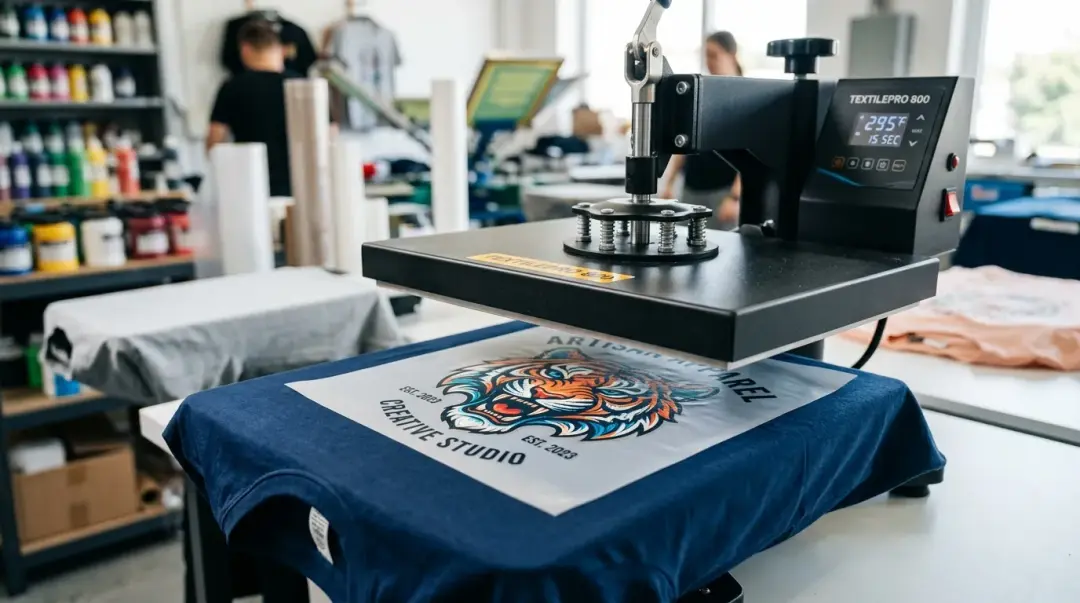
Understanding Ghosting in DTF Transfers
Ghosting, characterized by a faint, slightly offset duplicate of your design appearing alongside or behind the main print, is a common but avoidable defect in Direct to Film (DTF) printing. It is one of the most visually distracting quality issues, often ruining otherwise perfect transfers. By understanding the mechanical and environmental triggers, you can eliminate this defect from your production workflow.
At its core, ghosting in DTF is the result of unwanted movement between the transfer film and the garment during the critical heat press dwell time. When the transfer shifts even a fraction of a millimeter while the adhesive is bonding, a second, lighter impression is permanently baked into the fabric.
Primary Cause: Garment and Transfer Movement
The most frequent cause of ghosting is micro-movement during the 10–15 second heat press cycle. Even the slightest vibration or shift—whether caused by the press closing, the fabric sliding, or an external bump—can result in a double image. This is particularly problematic with fine lines, text, and intricate design edges, where the offset is most visible.
Preventing Movement During Pressing
- Secure with Tape: Use high-quality heat-resistant tape on all four corners of the transfer to lock it into position on the garment before the press closes.
- Check the Platen Surface: Ensure your lower platen cover is clean, lint-free, and smooth. Any unevenness or debris can cause the garment to shift under pressure.
- Flat Loading: Always ensure the garment is centered and laid perfectly flat on the platen, avoiding any bunching or overlapping fabric seams beneath the print area.
- Controlled Release: Avoid opening the heat press too quickly, which can create a vacuum effect or cause the fabric to lift while the ink is still hot and pliable.
Key Takeaway: To prevent ghosting, your transfer must remain completely stationary from the moment the platen closes until it is fully opened. Proper tensioning and stabilization are non-negotiable for professional-grade DTF results.
The Hidden Culprit: Adhesive Buildup
While operator movement is the most common cause, intermittent ghosting often points to a subtler issue: adhesive buildup on the lower platen cover. Over time, excess TPU adhesive from previous transfers accumulates on the silicone pad. This buildup creates a sticky surface that can cause the garment to catch or shift micro-positions when the upper platen releases, after the transfer has bonded but before it is removed.
Maintenance Best Practices
| Action | Frequency | Tool/Method |
|---|---|---|
| Clean Platen Cover | Monthly | Isopropyl alcohol on a warm press |
| Replace Platen Cover | Quarterly | New silicone pad/cover ($15–$40) |
For shops running high volumes—typically 100+ pieces per day—replacing lower platen covers on a quarterly schedule is highly recommended. Not only does this remove residual adhesive, but it also eliminates surface degradation caused by repeated thermal cycling, ensuring a perfectly flat, non-stick base for every job.
Summary: Checklist for Sharp DTF Prints
To summarize, if you are seeing double images, follow these steps to troubleshoot:
- Inspect your work area: Is there any movement or vibration affecting the press?
- Use heat tape: Are your transfers secured at all four corners?
- Check the fabric: Is the garment perfectly flat with no underlying seams or buttons?
- Clean the platen: If ghosting is intermittent, perform a deep clean of the lower platen surface with isopropyl alcohol.
- Evaluate equipment wear: If your silicone cover is aged, cracked, or heavily stained with adhesive, replace it to restore optimal contact. For more information, check our FAQs Page — 'Why does my DTF print have a ghost image?' troubleshooting section.
Frequently Asked Questions
What is ghosting in DTF printing and why does it happen?
How can I prevent my DTF transfers from shifting during the heat press cycle?
Does adhesive buildup on the platen cause ghosting?
How often should I maintain my heat press platen to avoid print defects?
Why is it important to open the heat press slowly after a DTF transfer?
Comments
No comments yet. Be the first to share your thoughts!