
Printing DTF Transfers on Dark Fabrics: Avoid Color Loss
Master printing DTF transfers on dark fabrics. Learn how to optimize your white underbase, RIP settings, and heat press techniques to prevent color loss.
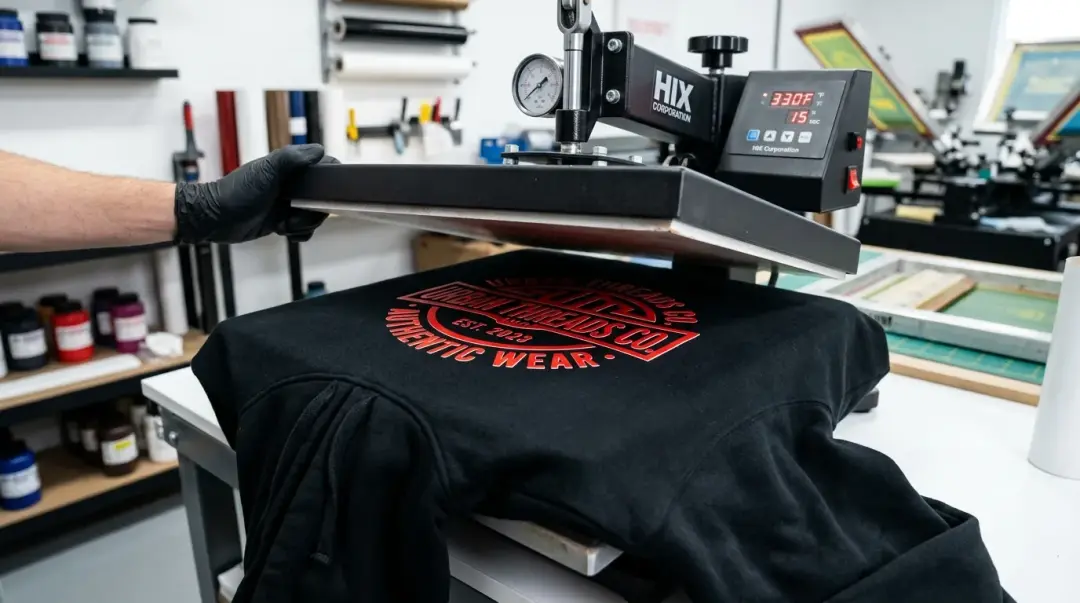
Achieving Vibrant DTF Prints on Dark Apparel
Direct-to-Film (DTF) printing has revolutionized the custom apparel industry, offering unparalleled versatility on dark fabrics compared to traditional methods like screen printing or vinyl. However, printing on black, navy, or charcoal garments often leads to muddy, washed-out colors if not executed correctly. The secret to success lies in a perfectly dialed-in white underbase.
The white layer acts as a critical opaque canvas. It blocks the dark garment fibers from bleeding through your design, ensuring your colors—especially vibrant reds, yellows, and whites—pop with maximum saturation. Without a dense, properly cured underbase, your design will struggle to compete with the fabric's natural background.
The Role of RIP Software in Color Vibrancy
Your Raster Image Processor (RIP) software is the command center for your print quality. To ensure colors don't lose intensity on dark textiles, you must precisely control white ink density and opacity.
- White Ink Density: Increase the white ink volume in your RIP settings to create a robust foundation. A thin white layer will inevitably lead to dull colors.
- Choke/Choke Value: Use a choke setting of 2–5 pixels in your RIP software. This ensures the white underbase is slightly smaller than the CMYK image, preventing thin white borders from appearing around your design while maintaining full color coverage.
- ICC Profiles: Always utilize a custom ICC profile tailored to your specific ink and film. Neglecting color management is a primary cause of faded-looking prints.
Key Takeaway: Think of the white underbase as the primer in house painting. If your primer is transparent or inconsistent, the final color will lack depth and impact.
Optimized Application Techniques for Dark Fabrics
Even a perfect transfer can fail if applied incorrectly. Dark garments often contain residual moisture from manufacturing, which can disrupt the adhesive bond. Following these steps ensures a durable, long-lasting finish.
1. The Essential Pre-Press
Never skip the pre-press. A quick 3–5 second press at your standard transfer temperature removes moisture and flattens the fabric's surface. This provides a stable, dry foundation for the TPU adhesive powder to bond with.
| Fabric Type | Pre-Press Duration | Temp Consideration |
|---|---|---|
| 100% Cotton | 5–8 Seconds | Standard (e.g., 300°F–320°F) |
| Polyester/Blends | 3–5 Seconds | Low (≤ 275°F to avoid scorch) |
2. The Finishing Press
After the initial transfer, always perform a second finishing press using a parchment or silicone sheet. This step is critical for DTF print durability on dark garments. It seals the edges of the design, ensuring a smooth, uniform finish that resists peeling—which is far more noticeable on dark-colored clothing.
Why Dark Fabrics Require Extra Care
Printing on dark substrates demands higher technical precision than lighter colors. According to industry best practices, the contrast between dark fabric and light ink makes any registration errors or under-curing highly visible to the end customer. By controlling your heat press settings and ensuring your white ink is opaque, you mitigate the risk of color migration and ensure the longevity of the garment's wash fastness.
Summary Checklist for Dark Fabric Printing
- Ensure white ink is dense and opaque in RIP settings.
- Apply a proper choke value (2–5 pixels).
- Pre-press for 3–8 seconds based on fiber content.
- Use a second finishing press to improve wash durability.
- Always use high-quality transfer films designed for stable ink release.
Frequently Asked Questions
Why do my DTF prints look washed out when applied to black or dark-colored fabrics?
What is the purpose of the 'choke' setting in RIP software for DTF?
Is a pre-press step really necessary before applying a DTF transfer?
How can I improve the wash durability of my DTF prints on dark shirts?
How do ICC profiles affect color intensity in DTF printing?
Comments
No comments yet. Be the first to share your thoughts!