
Banding in DTF Prints: Causes, Diagnosis, and How to Fix It
Struggling with horizontal lines in your DTF prints? Learn the primary causes of banding—nozzles, encoder strips, and white ink issues—and how to fix them fast.
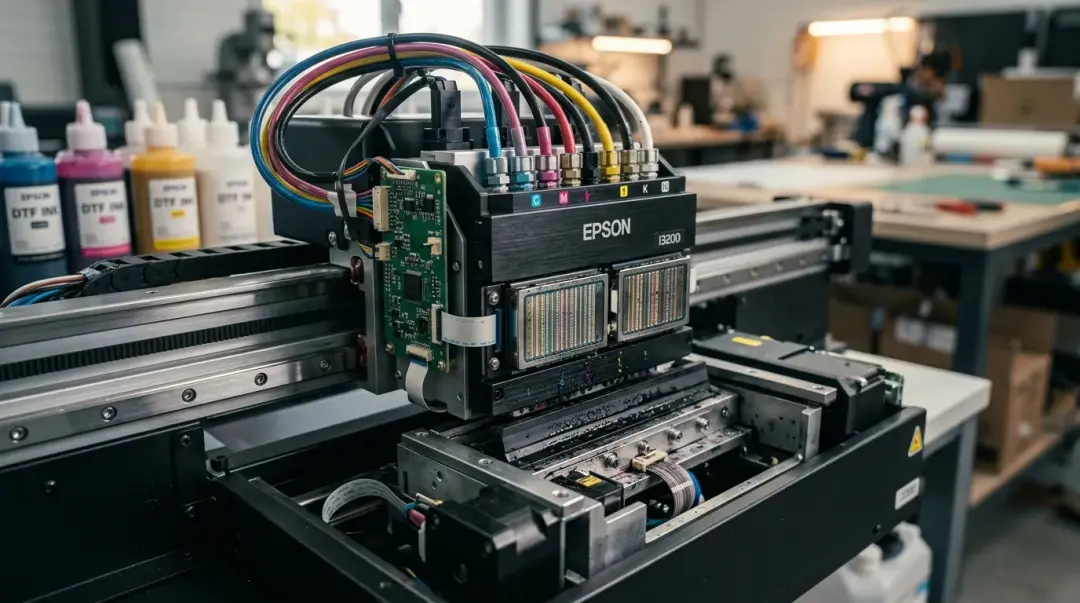
Banding—the appearance of faint, repetitive horizontal stripes running across a Direct to Film (DTF) transfer perpendicular to the print direction—is one of the most frustrating quality defects encountered in custom apparel production. Because this issue can stem from several distinct technical failures, a systematic approach to diagnosis is essential to avoid wasting time, film, and expensive ink.
Understanding the Causes of DTF Banding
Banding occurs when the printer fails to lay down a continuous, uniform layer of ink. This results in visible gaps or density shifts that repeat at regular intervals, often corresponding to the width of a single carriage pass. Identifying the source of the interruption is the first step in restoration.
1. Partially Blocked or Misfiring Nozzles
The most frequent culprit for banding is a partially clogged printhead nozzle. When specific nozzles fail to fire or become obstructed by dried ink, they fail to deposit ink, leaving a thin, white, or faded line in the print. Because the printhead moves back and forth in a linear motion, these missing channels create a consistent horizontal stripe pattern across the entire graphic. For more details on these issues, please refer to the DTF Troubleshooting Guide blog post — banding or nozzle issue section.
2. Contaminated Encoder Strip
The encoder strip is a thin, translucent plastic strip running the length of your printer carriage path. It contains thousands of tiny, precise markings that the printhead sensor reads to determine its exact horizontal position. If ink mist or dust accumulates on this strip, the printer misreads its location, leading to misaligned ink dots. This results in irregular, erratic banding that does not follow a strict, periodic interval.
3. White Ink Pigment Settling
White DTF ink is unique because it contains titanium dioxide particles, which are significantly heavier than the dyes or pigments found in CMYK inks. If not properly agitated, these particles settle at the bottom of ink lines, dampers, and the printhead. This creates a partial blockage in the white channel, leading to an inconsistent underbase, which directly impacts the vibrancy and accuracy of the colors printed on top.
Diagnostic and Troubleshooting Workflow
When you spot banding, do not panic. Use this structured approach to isolate and resolve the issue.
| Symptom | Likely Cause | Immediate Action |
|---|---|---|
| Clean, periodic horizontal lines | Clogged/misfiring nozzles | Run nozzle check & head cleaning |
| Irregular banding/misalignment | Dirty encoder strip | Clean encoder strip |
| Faded colors/white layer streaks | White ink settling | Agitate/Circulate & Purge |
Step-by-Step Resolution
- Run a Nozzle Check: Immediately perform a nozzle check pattern print. Inspect the output for gaps. If specific color blocks have missing lines, you have confirmed a nozzle clog.
- Execute Head Cleaning: Run the printer’s standard head cleaning cycle, then perform another nozzle check. If the output is still broken, repeat the process.
- Manual Head Cleaning: If two cycles fail to clear the blockage, manual cleaning using a lint-free swab and appropriate DTF cleaning solution may be required.
- Clean the Encoder Strip: If nozzles are fine but banding persists, power down the printer. Carefully wipe the encoder strip using a dry, lint-free cloth. Do not use abrasive cleaners, as these can erase the timing markings.
- Purge White Ink: For suspected white ink settling, initiate a targeted white ink purge cycle through your RIP software to pull fresh, agitated ink into the printhead.
Key Takeaway: Most banding is preventable through strict maintenance. Daily white ink agitation and weekly cleaning of the encoder strip are the most effective ways to maximize your printhead lifespan and consistency.
If banding continues after these steps, consult your printer manufacturer's service manual, as the issue may involve damper failure or mechanical wear on the printhead assembly itself.
Frequently Asked Questions
What is banding in DTF printing and why does it happen?
How can I diagnose if my DTF banding is caused by clogged nozzles?
What should I do if I see irregular banding instead of clean, periodic lines?
Why does white ink settling cause banding in my DTF prints?
What is the best way to prevent banding in DTF printing?
Comments
No comments yet. Be the first to share your thoughts!