
Key Features to Look for When Buying a DTF Printer
Investing in a DTF printer? Discover the essential features to evaluate, from white ink management to RIP software, to ensure professional-grade production.
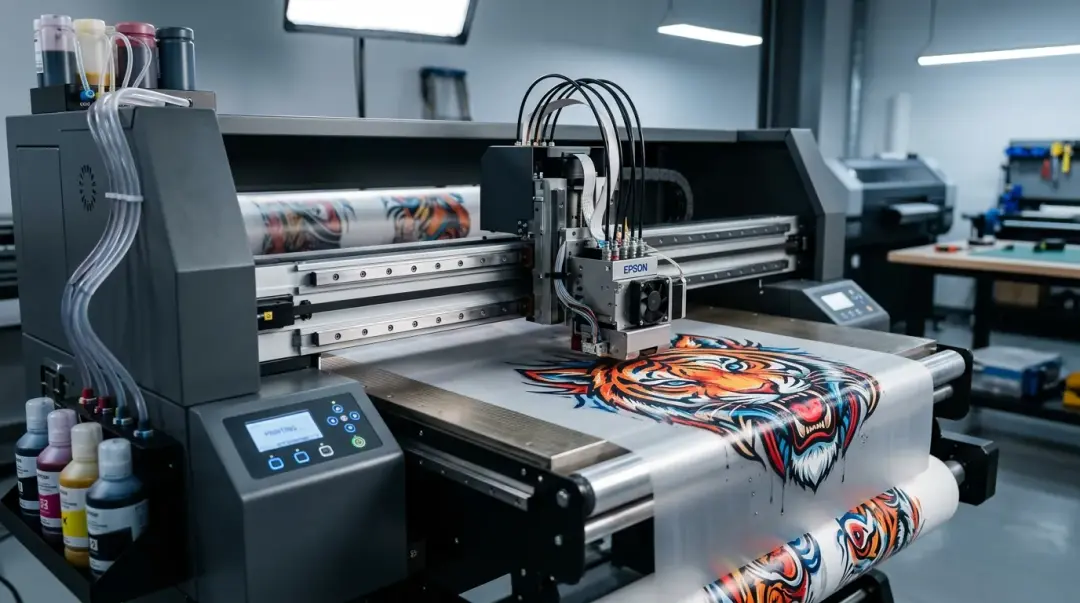
Direct to Film (DTF) printing has revolutionized the custom apparel industry, offering versatility and high-quality results on a wide array of fabrics. However, entering this market requires a significant financial commitment. Entry-level desktop models typically start between $3,000 and $6,500, such as the widely recognized Roland BN-20D, while professional mid-range production printers range from $10,000 to $25,000. Industrial roll-to-roll systems represent an even larger investment. Given these costs, evaluating the right features before purchase is critical to your long-term success. If you are just starting, explore our Blank Apparel collection page for resources to support your business.
The Criticality of White Ink Management
If there is one non-negotiable feature to assess, it is white ink management. Unlike CMYK inks, white DTF ink contains titanium dioxide pigments that are notorious for settling quickly when left stagnant.
Look for machines equipped with an automatic white ink circulation or agitation system. This feature continuously cycles the ink to keep pigments in suspension, preventing them from clogging printheads. Printers lacking this mechanism require:
- Daily manual shaking of ink tanks.
- More frequent and wasteful nozzle cleaning cycles.
- Increased risk of permanent printhead damage due to pigment buildup.
Print Resolution and Quality Baselines
For a professional-grade output that can compete in a commercial market, print resolution is a primary indicator of quality. A print resolution of at least 1,200 DPI (dots per inch) should be your baseline. Ideally, aim for 1,440 DPI for superior detail.
Anything below these thresholds often results in visible dot grain, especially in photographic designs or intricate, fine-line artwork. When evaluating a machine, always request sample prints that include gradient transitions and small text to verify the printer's true capabilities.
Evaluating the Total Production Ecosystem
Buying a printer is not just about the hardware; it is about the workflow ecosystem. Consider these three pillars of production:
1. RIP Software Capabilities
The Raster Image Processor (RIP) is the brain of your printer. A robust bundled RIP software should offer granular control over:
- White Layer Management: Precise control over how much white ink is printed under the color layer.
- ICC Profile Support: Essential for accurate color management.
- Ink Channel Control: The ability to adjust ink limits and nozzle mapping.
If the printer does not include a high-quality RIP, you may be forced to purchase third-party software, which adds significant cost and potential setup complexity.
2. Consumable Freedom
Investigate the cost and accessibility of consumables, including ink, PET film, and TPU adhesive powder. Some manufacturers use proprietary ink cartridges or locked systems, effectively trapping you in a cycle of paying inflated prices for materials. Ensure you can source quality consumables from multiple vendors to maintain healthy profit margins.
3. Production Automation Potential
As your business grows, so will your volume. Evaluate whether the printer's feed mechanism supports inline powdering and curing integration. While you might start with a manual shaker unit, having the capability to upgrade to an automated roll-to-roll inline solution allows your business to scale without requiring a total equipment replacement.
Comparison Table: Entry-Level vs. Industrial
| Feature | Entry-Level Desktop | Industrial Roll-to-Roll |
|---|---|---|
| White Ink Mgmt | Basic/Manual Required | Fully Automated/Circulation |
| Resolution | 1,200 - 1,440 DPI | 1,440+ DPI |
| Throughput | Low (Slow) | High (Continuous) |
| Automation | None (Manual powder/cure) | Integrated Auto-Curing |
Support, Parts, and Community
Perhaps the most overlooked factor is the manufacturer's post-purchase support. A $15,000 printer from a manufacturer with poor US-based support will inevitably cost more in downtime, lost orders, and expensive repair bills than a $20,000 printer from an established brand like Roland, Epson, or a reputable specialty DTF manufacturer.
Key Takeaway: Prioritize manufacturers with a proven service network, readily available spare parts, and an active user community. The availability of online forums and troubleshooting guides can save you days of downtime when technical issues arise.
Always verify the availability of local technical support and confirm if spare parts like dampers, capping stations, and printheads are standardized or proprietary. A machine that is easy to maintain and has strong manufacturer backing will always yield a better long-term return on investment.
Frequently Asked Questions
Why is white ink management considered a non-negotiable feature in a DTF printer?
What is the recommended print resolution for professional-grade DTF output?
How does the RIP software affect my DTF printing workflow?
What should I consider when evaluating DTF printer maintenance and long-term support?
How should I plan for business growth when selecting my first DTF printer?
Comments
No comments yet. Be the first to share your thoughts!