
How to Build a Gang Sheet to Save Money on DTF Orders
Learn how to build a DTF gang sheet to maximize efficiency and drastically cut costs on your custom apparel printing orders with this expert guide.
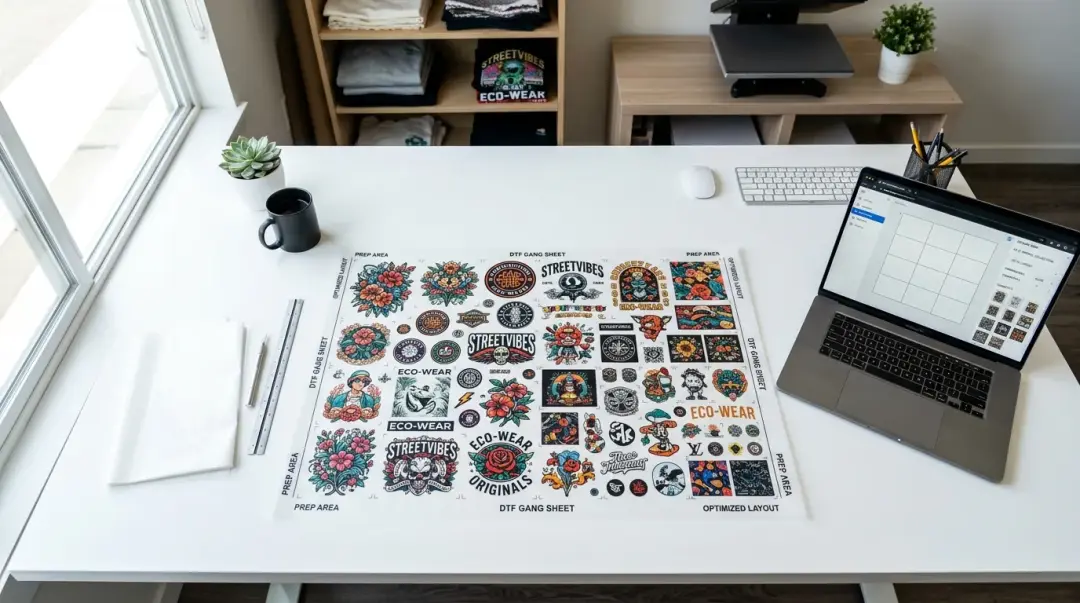
Mastering the DTF Gang Sheet for Maximum Savings
For any apparel decorator, brand owner, or hobbyist involved in DTF (Direct to Film) printing, managing costs is a constant challenge. One of the most effective strategies to lower production overhead is using a gang sheet. By consolidating multiple designs onto a single transfer sheet, you transform your ordering process from a per-design expense into a streamlined, high-efficiency production model.
A gang sheet is essentially a large canvas—typically 22" x 60" or larger—where you arrange various artwork files for a single print run. Instead of paying for multiple individual transfers, you pay a flat price for the entire sheet. This simple shift can reduce costs from $4–$8 per individual transfer down to just $1–$2 per design.
Why Gang Sheets Are the Ultimate Cost-Saver
The math behind gang sheets is straightforward: you are paying for the physical space on the printer's film, not the number of individual designs. By maximizing the usable surface area of the film, you effectively lower the cost per square inch.
Key Economic Benefits:
- Volume Pricing: Most vendors offer tiered discounts for larger sheets, making it cheaper to print in bulk.
- Reduced Setup Fees: You eliminate the need to pay individual processing fees for every small design file.
- Minimized Shipping Costs: Receiving one large roll or folded sheet is more cost-effective than receiving dozens of small, separate packages.
Best Practices for Building an Efficient Gang Sheet
To truly see the financial benefits, you must be strategic about how you layout your designs. An empty, wasted space is money left on the table.
1. Optimize the Fill Rate
Aim to fill at least 85% of the available print area. Don't just place designs in a straight line; think of it like a puzzle. Rotate smaller logos or designs to fit into the empty gaps left by larger prints. If you have a square design next to a rectangular one, look for ways to tuck smaller items into the corners.
2. Leave Proper Cutting Space
Efficiency shouldn't compromise quality. Leave roughly 0.5" of space between each design. This gap is vital for safe cutting once the transfers arrive. If designs are too close, you risk accidentally cutting into a neighboring print, leading to wasted inventory.
3. Label and Organize
It is a professional habit to label each design with its intended print size directly on the gang sheet (in a layer that won't print). This prevents confusion during the heat-pressing phase and avoids costly mistakes where a design is printed at the wrong scale for the final garment.
Comparison: Traditional Ordering vs. Gang Sheet Ordering
| Feature | Individual Order | Gang Sheet Order |
|---|---|---|
| Cost per print | High ($4-$8) | Low ($1-$2) |
| Efficiency | Low | High |
| Storage | Multiple small sheets | Compact, organized |
| Best For | Prototyping | Batch Production |
How to Use Online Gang Sheet Builders
You don't need to be a professional graphic designer to create an efficient sheet. Most modern online DTF providers offer drag-and-drop gang sheet builders. These tools automate the technical aspects, such as DPI (dots per inch) settings and bleed, allowing you to focus on layout. Learning how to build a DTF gang sheet save money is a crucial skill for scaling your business.
Key Takeaway: If you are a decorator or apparel brand ordering on a regular schedule, build your gang sheets in batches. Maintaining a small, organized inventory of pre-printed transfers ensures fast fulfillment for your customers and keeps your margins healthy.
Final Tips for Success
- Resolution Matters: Always use files with at least 300 DPI to ensure print quality.
- Transparency Check: Ensure your designs have transparent backgrounds to avoid unwanted white borders or boxes.
- Batching: Group similar items together on a sheet to simplify the cutting process when you receive the order.
Frequently Asked Questions
What is a DTF gang sheet and why should I use one?
How much space should I leave between designs on a gang sheet?
What is the recommended resolution for designs on a gang sheet?
What are some tips for maximizing the space on my gang sheet?
Should I label my designs on the gang sheet?
Comments
No comments yet. Be the first to share your thoughts!