
Step-by-Step: How the DTF Transfer Process Works
Master the DTF transfer process with our step-by-step guide. Learn printing, powdering, curing, and heat pressing for high-quality, durable custom garments.
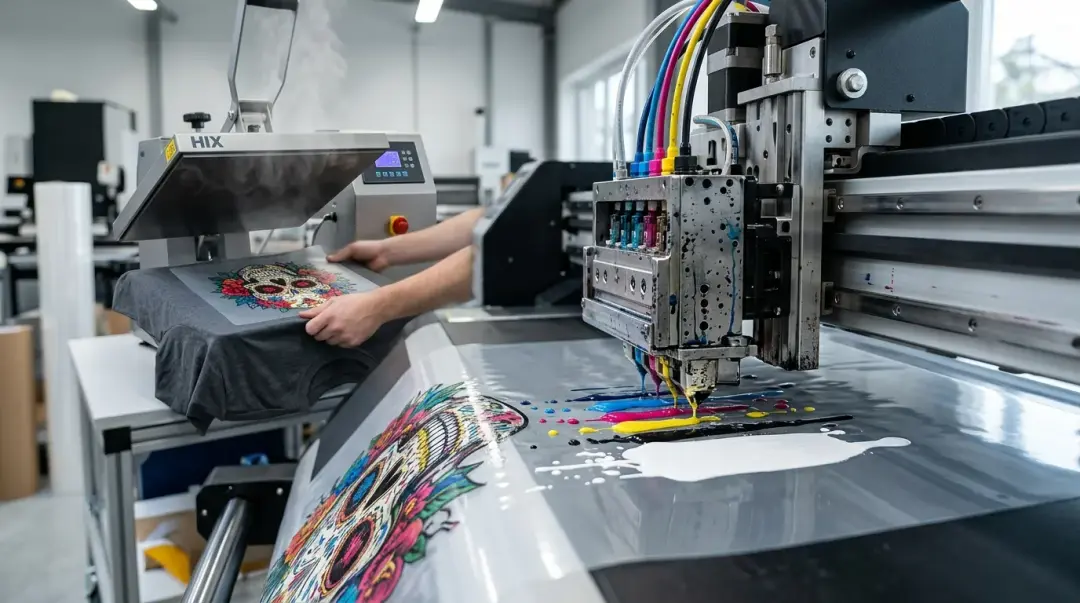
Direct-to-Film (DTF) printing has revolutionized the custom apparel industry, offering unparalleled flexibility compared to traditional methods. Unlike Direct-to-Garment (DTG) printing, which requires specific fabric treatments, DTF works on virtually any textile—from cotton and polyester to leather and nylon. Mastering the how DTF transfers work step by step is essential for achieving professional-grade results and minimizing waste.
The Four Core Stages of the DTF Workflow
The DTF process is a multi-stage workflow that converts digital artwork into a durable, wearable transfer. Following these steps with precision ensures consistent quality.
1. Printing the Artwork
The process begins by printing your design onto specialized PET film. This is typically done using a dedicated DTF printer equipped with CMYK and White pigment inks. Professional RIP (Raster Image Processor) software is critical here, as it manages the white ink density required to create a solid opaque background for your colors.
- Reverse Printing: Designs are printed in reverse (mirrored) so they appear correctly once transferred to the fabric.
- Ink Management: White ink contains titanium dioxide, which can settle. Daily white ink agitation or circulation systems are required to prevent printhead clogging.
- Environment: Maintain a controlled humidity (40-60%) to prevent static and ensure clean, sharp ink droplets on the film.
2. Applying Hot-Melt Adhesive Powder
Immediately after printing, while the ink is still wet, a TPU adhesive powder is applied to the design. This powder is what allows the ink to bond with the garment during the final heat press.
- Even Distribution: Use an automated shaker or manually shake the powder across the wet ink. Ensure full coverage to avoid patchy adhesion.
- Removing Excess: Carefully remove all excess powder from non-printed areas. Leftover powder can leave a visible “halo” or residue on your finished garment.
3. Curing the Transfer
Curing is the thermal process that turns the adhesive powder into a solid, tacky layer. This stage is where many beginners encounter issues such as peeling or cracking.
- Curing Settings: Generally, you will cure the film at 110°C–120°C (230°F–250°F) for 60–90 seconds. Always follow the powder manufacturer's specific guidelines.
- The "Orange Peel" Finish: A perfectly cured print should look matte with a slightly textured, “orange peel” appearance. If it looks glossy, it is under-cured; if the ink shows bubbling, it is likely over-cured.
4. Heat-Pressing the Transfer
The final step is applying your cured transfer to the garment using a high-quality heat press.
- Settings: Standard settings are 150°C–160°C (300°F–320°F) for 10–15 seconds with medium-to-firm pressure.
- Peeling: Depending on your film, you will perform a cold peel (wait for it to cool to room temperature) or a hot/warm peel.
- Post-Press: For superior wash fastness, perform a second press for 5-10 seconds using a piece of parchment paper to protect the design and drive the ink further into the fibers.
Technical Troubleshooting Summary
Consistency is the key to DTF success. Below is a summary of common issues and their primary solutions to help you maintain a productive workflow.
| Issue | Primary Cause | Best Solution |
|---|---|---|
| Poor Adhesion | Under-curing or low pressure | Verify curing temps and increase press pressure |
| Design Cracking | Over-curing or excessive heat | Reduce curing time; don't overheat |
| White Residue | Excess powder remaining | Clean non-printed areas before curing |
Key Takeaway: Always perform a test swatch before starting a full production run. Calibration of your dryer, press settings, and film brand compatibility is the difference between a professional result and a wasted batch.
Frequently Asked Questions
What is DTF printing and why is it popular for custom apparel?
How can I prevent my DTF printer's printhead from clogging?
What is the difference between hot peel and cold peel DTF film?
Why is properly curing the transfer crucial for DTF success?
What steps can I take to maximize the wash fastness of my DTF prints?
Comments
No comments yet. Be the first to share your thoughts!