
What Fabrics Are Compatible With DTF Transfers?
Discover which fabrics work with DTF transfers. From cotton to nylon, learn how to optimize heat settings and adhesives for perfect, durable DTF prints.
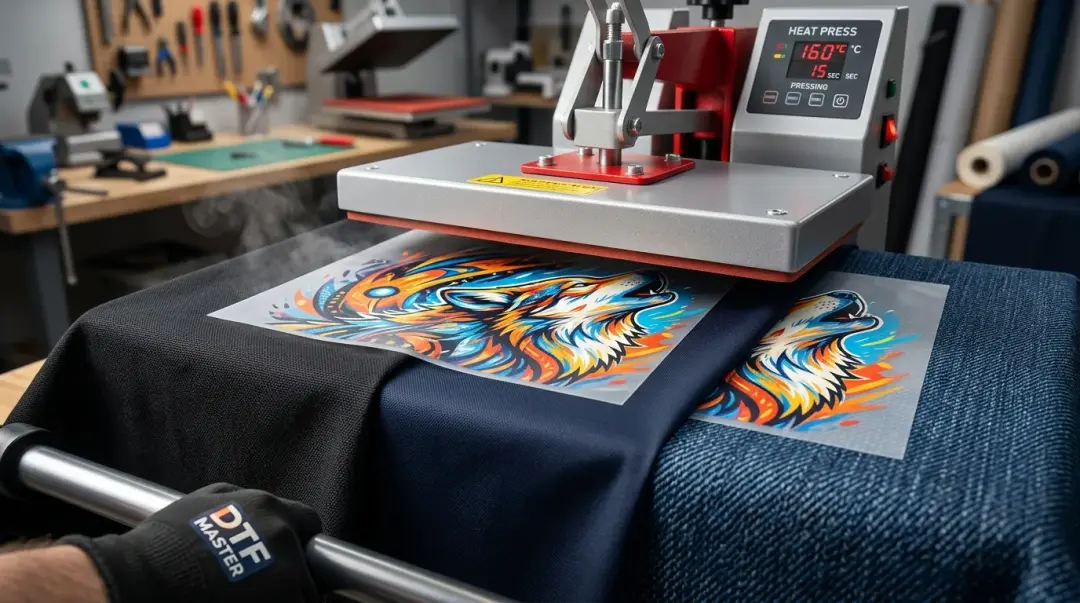
Direct-to-Film (DTF) printing has revolutionized the custom apparel industry, primarily due to its incredible versatility. Unlike traditional screen printing or Direct-to-Garment (DTG) methods that often require specific fabric compositions to absorb ink, DTF transfers offer a near-universal compatibility. Because the DTF process bonds the design to the surface of the fabric via a hot-melt adhesive rather than soaking into the fibers, it effectively bypasses the limitations of traditional textile printing.
Commonly Compatible Fabrics for DTF
DTF is compatible with the vast majority of common apparel fabrics. Whether you are printing on light or dark garments, the white underbase ink provides the necessary opacity and vibrancy to ensure the design pops.
- 100% Cotton: The industry standard for apparel. DTF adheres exceptionally well to the surface of cotton shirts.
- Polyester: A common material for athletic and performance wear.
- Cotton-Poly Blends: These fabrics combine the comfort of cotton with the durability of polyester.
- Tri-blends: Often used for soft, fashion-forward tees; DTF handles these complex blends without issue.
- Nylon: Traditionally difficult to print on, nylon responds well to DTF thanks to specialized low-melt adhesives.
The Role of Temperature and Settings
While what fabrics are compatible with DTF transfers will adhere to most materials, the heat press settings must be adjusted based on the specific fabric to ensure durability and prevent damage. The goal is to melt the adhesive without damaging the garment.
| Fabric Type | Typical Temp Range | Considerations |
|---|---|---|
| Cotton / Heavy Blends | 300°F - 320°F | High durability, handles heat well. |
| Polyester / Performance | 270°F - 290°F | Avoid scorching and dye migration. |
Avoiding Dye Migration
One of the most critical issues when pressing polyester and performance fabrics is dye migration. This occurs when high temperatures cause the garment's dye to turn into a gas, which then bleeds into the white parts of your DTF design. To combat this, use lower heat settings and specialized low-migration films.
Specialized Materials: Proceed With Caution
Some materials require extra care and rigorous testing before committing to a full production run. Always perform a test press and a subsequent wash test.
- Heat-Sensitive Synthetics: These can melt or deform if the temperature is too high.
- Stretch/Spandex Blends: These require highly elastic, low-melt adhesives to prevent the design from cracking during movement.
- Denim & Leather: While possible to print, these textures can affect how the adhesive interacts with the surface.
- Coated/Water-Repellent Fabrics: These surface treatments often actively resist adhesion. Specialized powders and longer dwell times may be required.
Key Takeaway: Compatibility isn't just about sticking; it's about durability. Always match your film, adhesive powder, and heat settings to the specific fabric and verify results through testing.
Best Practices for Success
- Always Test: Never assume a setting will work. Perform a test print and wash it according to manufacturer guidelines.
- Use the Right Powder: Consider using low-melt adhesive powders for delicate or stretch-sensitive fabrics.
- Watch Dwell Time: Too much time under the heat press can damage the fabric fibers, even if the temperature is correct.
Frequently Asked Questions
Why is DTF printing considered more versatile than screen printing or DTG?
What is dye migration, and how can I prevent it when printing on polyester?
Can DTF transfers be used on stretchy fabrics like Spandex blends?
How do I determine the correct heat press settings for different fabric types?
Why should I perform a wash test after printing on a new fabric?
Comments
No comments yet. Be the first to share your thoughts!